







How to Register Your Personal Profile on Jobhound
Welcome to Jobhound! Whether you’re a job seeker or an employer, registering a personal profile is your first step towards unlocking all the features of our platform. Here’s a simple guide to help you get started.
Registration Options
At Jobhound, we offer two convenient ways to register:
1. Quick Registration
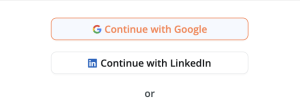
For a faster registration process, you can use one of your existing social accounts:
LinkedIn Quick Sign-Up: Use your LinkedIn account for seamless registration. Ideal for professionals.
Gmail Quick Sign-Up: Utilize your existing Gmail account for a quick sign-up.
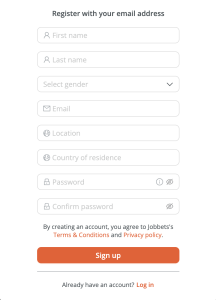
2. Standard Registration
Would you prefer to set up your account manually? Here’s what you need to do:
First Name and Last Name: Enter your first and last name as you want them to appear on your profile.
Select Gender: Choose your gender.
Email: It’s crucial to use a valid email address as all confirmations and notifications will be sent here. Incorrect email can lead to difficulties in accessing your account later.
Location: Your current location.
Country of Residence: Specify the country where you currently reside.
Password and Password Confirmation: Create a secure password and confirm it. Once you have completed all the necessary information, click the ‘Sign up’ button to complete your registration.
Congratulations! You have successfully registered your personal profile on Jobhound. Now, you can start exploring job opportunities or posting job vacancies. Stay connected, stay ahead!
